


Kids Preschool Learning Games
3.7585.00 Reviews
App Specs
- Version
- 22.1
- Updated On
- License
- Free
- Downloads
- 10,000,000+
- Developer
- GunjanApps Studios
- Categories
- Educational
- Platform
- Android
Screenshots
 Analysis by AppCompare
Hey there, fellow parents and caregivers! If you’re on the hunt for an app that combines fun and learning for your little ones, then you might want to check out Kids Preschool Learning Games. This app is like a treasure chest of educational goodies designed to keep your preschoolers entertained while they learn. Let’s dive into the colorful world of this app and see what it has to offer.
Before handing it over, I’d think about what you want the session to accomplish. This is best treated as a collection of short learning activities, not as a replacement for a teacher, a workbook, or conversation with an adult. A child can explore a letter or a shape on screen, then look for the same thing on a cereal box or around the room. That small step from tapping to noticing is where I find an educational game most useful.
For a practical routine, I’d sit beside a child at first, help them find an activity, and then let them make the choices once they understand the basic interaction. If they get stuck, a brief prompt such as “Which one looks like the letter we just heard?” keeps the child doing the thinking instead of turning the game into a test. I’d also end the session while the child is still interested rather than waiting for frustration or restlessness to set in.
Interactive Learning Made Fun
From the moment you open Kids Preschool Learning Games, you’re greeted with a vibrant interface that just screams fun! The app is packed with various games and activities tailored for toddlers and preschoolers. What I love about it is how it turns learning into a game, making it less of a chore and more of an adventure for kids.
That playful first impression is useful, but it can also make a young child want to tap everything at once. I’d treat the opening minutes as a chance to explore together, not as a quiet, independent lesson from the outset. Once a child recognizes how to choose an activity and respond to it, the bright presentation can help make practice feel inviting rather than like another task imposed by an adult.
A Variety of Educational Games
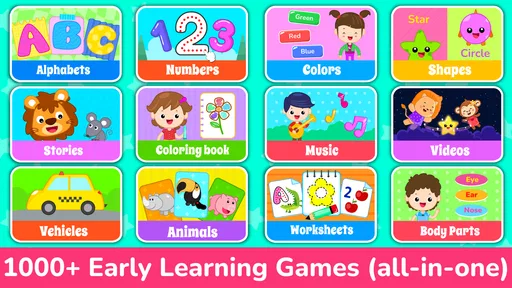
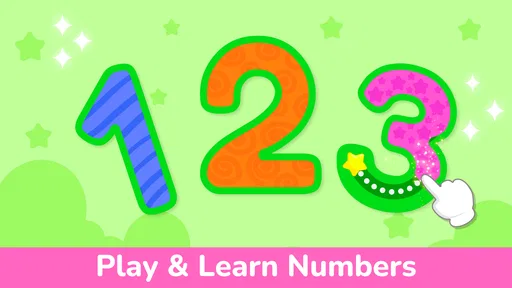
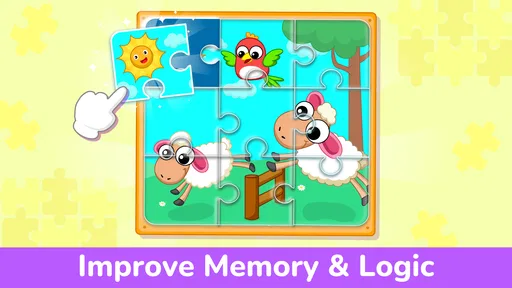
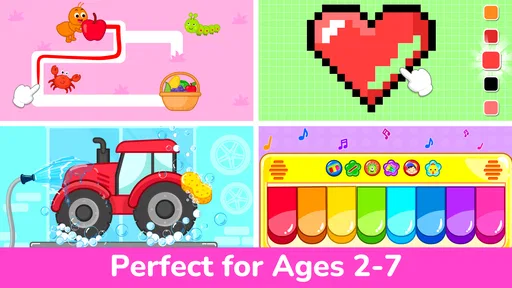
The app covers a wide range of subjects, from basic math and reading to colors, shapes, and more. Each game is designed to develop specific skills. For instance, there are puzzles that help with problem-solving skills, and matching games that boost memory. It’s like a mini classroom in your pocket!
For a caregiver, that variety can make it easier to follow a child’s attention instead of insisting on one topic throughout a session. If a child is ready to practice identifying colors but not interested in letters that day, switching focus may preserve their enthusiasm. I wouldn’t assume that moving quickly through activities means a child has mastered a skill, though; asking them to name or point to the same thing away from the screen gives a more meaningful check.
Worth Reading Before You Choose

EA SPORTS FC Mobile 26 Is a Bigger Football Game, but It Takes Time

Flipboard Shows What News Apps Must Do Beyond the Feed

Switching to Android Auto Means Rethinking Your Driving Routine

Google Calendar Makes a Crowded Week Easier to Manage

Ludo King Makes the Most of the Minutes Between Plans

Baby Panda World Brings Quick Play to Modern Phones, but Its Game Library Feels Busy
Compared with a single-purpose alphabet app or a paper activity book, this broader mix is convenient when you want several kinds of preschool practice in one place. The trade-off is that a focused alternative may offer a clearer path through one subject, while a collection of activities can leave the adult to decide what to revisit. I’d use this game for variety and short practice, then pair it with books, toys, drawing, or everyday conversation when a child needs more explanation or hands-on learning.
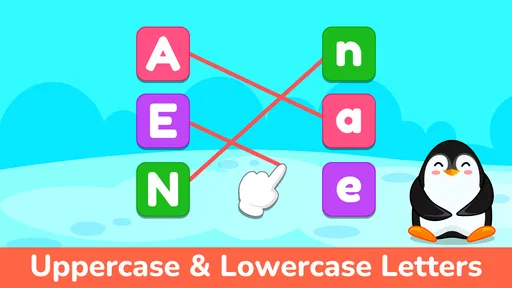
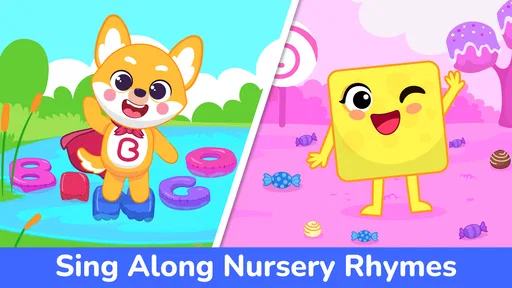
My personal favorite is the alphabet game, where kids can learn letters through catchy songs and animations. It’s a great way to introduce them to the world of letters and sounds without overwhelming them.
Songs can make repetition feel less like drilling, especially when a child enjoys listening and joining in. I’d use the alphabet activity as a prompt to say the letter together, then connect it to a familiar object or name. That makes the screen experience more active and personal. If the music starts to distract a child from noticing the letter itself, I’d switch to another activity or take a break rather than keep replaying the same moment.
User-Friendly and Kid-Safe
One thing I always look for in kids’ apps is ease of use. Let’s face it, if an app is too complicated, it’s going to end up collecting digital dust. Thankfully, this app is super intuitive. With large buttons and clear instructions, even the youngest users can navigate it with ease.
In practice, I’d still stay close during the first few uses. A simple interface can reduce the amount of help a child needs, but it doesn’t remove the need for an adult to choose an appropriate activity, set boundaries around screen time, and notice when a child is ready to stop. For a grandparent or babysitter, the straightforward layout may be handy once the family has agreed on which activities are suitable and how long the child should play.
Plus, it’s designed with safety in mind. There are no ads or in-app purchases, so you can let your kids play without worrying about unexpected charges or inappropriate content. That’s a big thumbs up from me!
I would still check the purchase settings on the device before a child uses any free app. Kids Preschool Learning Games is free to download, but it offers in-app purchases ranging from $0.49 to $69.99 per item, so the earlier claim that there are no purchases is not accurate. An adult should handle any payment decisions and avoid leaving a child alone with a device’s purchase prompts. The game is rated Everyone, and its developer is GunjanApps Studios.
Engaging Graphics and Sound
The graphics are colorful and engaging, perfect for capturing the attention of young minds. The characters are cute and the animations are smooth, making it visually appealing. Not to mention, the sound effects and music are lively and add an extra layer of excitement to the learning experience.
The visual and audio style gives the activities a cheerful mood, which suits brief preschool play. I’d be mindful of the setting: lively sounds that encourage one child may be distracting during a quiet moment or in a shared room. Muting or lowering the device’s volume, when appropriate, can also make it easier for an adult to talk through an answer instead of letting sound cues do all the teaching.
Kids can interact with the app’s elements, and the positive feedback they receive (like cheers and claps) when they answer correctly is a great confidence booster.
That feedback can help a child feel pleased with trying, but I wouldn’t treat a celebration as proof that the underlying idea has stuck. A useful follow-up is to ask the child to explain what they chose, point to the same shape nearby, or try the idea on paper. If the child gets an answer wrong, I’d keep the mood calm and use it as a chance to try again rather than letting the game’s response become the whole lesson.
Customizable Learning Experience
Another neat feature is the ability to customize the learning experience. You can tailor the games to your child’s learning level, which means the app can grow with them. It’s great for keeping things challenging as they master different skills.
I’d make changes gradually rather than raising the challenge simply because a child gets one answer right. A child may recognize a familiar picture but still need more practice with the idea behind it. Returning to an easier activity is not a setback; it can build confidence and reveal whether the child understands the task or has only learned a particular pattern. That is one reason I prefer using the game alongside ordinary play rather than as a progress measure on its own.
This adaptability ensures that the app remains relevant and engaging over time, which is a huge plus in my book. It means you’re getting real value for the time your child spends on it.
It is a good fit for families who want a free starting point for preschool activities and are comfortable supervising a young child’s screen use. The game has an average rating of 3.8 from around 28,000 ratings, and it has been installed over 10 million times. Those figures suggest that many families have tried it, but they don’t tell me whether it matches a particular child’s learning style. I’d judge it by whether the child can use the activities calmly and whether the adult can connect them to real-world practice.
It may be less suitable if you want a carefully sequenced course, detailed feedback for parents, or a focused lesson plan for a specific learning need. In those cases, a teacher’s recommendations, a structured book, or a specialist learning resource may be a better choice. The game is also not ideal as an unattended distraction: even simple activities work better when a grown-up helps set a purpose and knows when to pause.
Making It Work in Everyday Family Life
A realistic use might be a short turn while dinner is being prepared: a child chooses a matching or letter activity, plays nearby, and then tells you what they noticed when you have a moment. I would avoid promising that the game will keep a child occupied for a fixed length of time; attention varies, and the best session may be only long enough to enjoy one activity. Keeping the device in a shared space makes it easier to guide the play and step in if the child becomes tired or frustrated.
For a preschooler who likes colorful prompts, songs, and switching between different early-learning topics, the combination can be more appealing than a worksheet. A child who prefers physical objects may do better with blocks, picture cards, or a storybook, especially when the goal is to build fine-motor skills or have a longer back-and-forth conversation. I see the app as one option in a small toolkit, not the whole toolkit.
The game was released on October 21, 2015, and its current version is 21.8. It requires Android 6.0 or later. That makes the operating-system requirement worth checking before downloading on an older device; it is also sensible to make sure the device is set up for a child’s use before handing it over.
Conclusion: A Must-Have for Young Learners
In a world full of digital distractions, it’s refreshing to find an app that not only entertains but also educates. Kids Preschool Learning Games does an excellent job of blending fun with foundational learning. It’s a fantastic resource for parents who want to give their kids a head start in their educational journey.
I’d describe it as a cheerful supplement rather than a must-have or a complete learning solution. Its broad selection and lively presentation make it easy to offer a young child a little practice, while the adult’s involvement determines whether that practice turns into a useful conversation. Families who want a more structured curriculum or a quieter, hands-on activity may be happier with another option, but caregivers looking for approachable preschool play may find it worth trying.
So, if you’re looking for an app that will keep your little ones engaged while boosting their learning, this one’s definitely worth a download. It’s a delightful way to make screen time productive and enjoyable for kids. Happy learning!
Pros
- Engaging and colorful graphics.
- Wide variety of educational games.
- Intuitive and easy to use.
- No ads in the paid version.
- Supports multiple languages.
Cons
- Limited free content available.
- Some games are too simple.
- Occasional in-app purchase prompts.
- Requires internet for updates.
- Lacks parental control options.
FAQs for Kids Preschool Learning Games
What age group is Kids Preschool Learning Games suitable for?
Kids Preschool Learning Games is designed for children aged 2 to 5 years. The app offers a variety of activities that cater to preschoolers, focusing on foundational skills like counting, alphabet recognition, and shape identification, all presented in an engaging and interactive manner suitable for young learners.
What types of educational activities are included in the app?
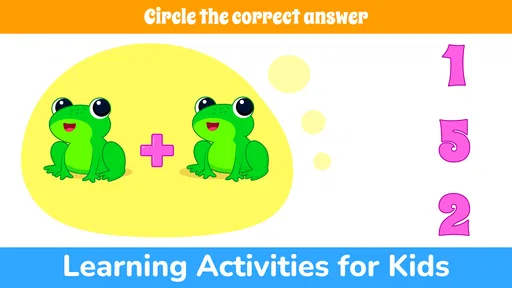
The app includes a wide range of educational activities such as alphabet tracing, counting exercises, matching games, and puzzles. These activities are designed to enhance cognitive abilities, improve memory, and develop fine motor skills, all while keeping the child entertained and engaged.
Is Kids Preschool Learning Games available for both Android and iOS devices?
Yes, Kids Preschool Learning Games is available for download on both Android and iOS platforms. You can find the app on the Google Play Store for Android devices and the Apple App Store for iOS devices, ensuring accessibility to a broad audience of users.
Does the app require internet access to function?
Kids Preschool Learning Games is designed to work offline, so internet access is not required for most activities. This allows children to enjoy learning anytime and anywhere, without the need for a constant internet connection, making it ideal for travel or areas with limited connectivity.
Are there in-app purchases within Kids Preschool Learning Games?
The app is free to download and offers a variety of no-cost activities. However, there may be optional in-app purchases for additional content or features. Parents can manage and control these purchases through their device settings to ensure a safe environment for their children.


